!pip install cerberus --qMultiplication Tables
This amazing module prints out multiplication tables for any number
import matplotlib.pyplot as plts=plt.plot(range(10), [i*i for i in range(10)])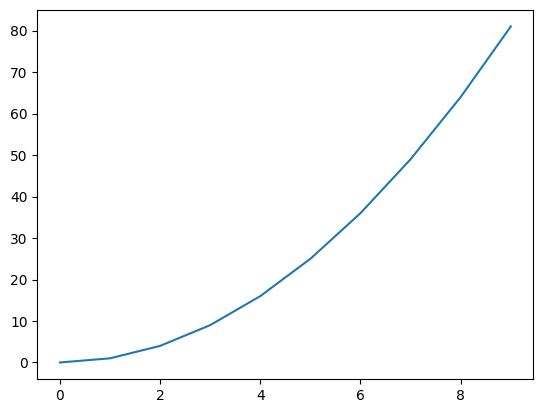
table
table (n:int)
| Type | Details | |
|---|---|---|
| n | int | a number for which you want multiplication tables |
table(4)4 times 1 = 4
4 times 2 = 8
4 times 3 = 12
4 times 4 = 16
4 times 5 = 20
4 times 6 = 24
4 times 7 = 28
4 times 8 = 32
4 times 9 = 36
4 times 10 = 40/opt/hostedtoolcache/Python/3.9.16/x64/lib/python3.9/site-packages/fastcore/docscrape.py:225: UserWarning: Unknown section Input
else: warn(msg)simple_validator
simple_validator (df:pandas.core.frame.DataFrame, schema:dict)
simple_validator is a simple function to validate a given dataframe with given schema. data frame rows converted into list of dictioners and validates with respect to the given schema and gives output a error dictionary.
| Type | Details | |
|---|---|---|
| df | DataFrame | pandas dataframe wth data, |
| schema | dict | python dictionary with validation schema, |
| Returns | dict | python dicionary with validation errors |
check_file_errors
check_file_errors (file:str)
checks if the given csv file is available and readable Parameters ———- file: path/location of file
| Type | Details | |
|---|---|---|
| file | str | |
| Returns | dict | dictionary of errors in accessing file |
create_cerberus_schema
create_cerberus_schema (col_dict)
takes a column dictionary and returns a schema file to be used in validation with the cerberus validator
read_csv
read_csv (file:str, col_dict:dict, n_max:int)
This function read_csv helps you to read a csv file with given columns only, additionally converts into given data types.
| Type | Details | |
|---|---|---|
| file | str | file path |
| col_dict | dict | dictionary with column name as keys and dtypes as values |
| n_max | int | maximum number of errors allowed to accepting the validataion |
| Returns | tuple | a pandas dataframe and an error list |